By Buddy Rathmell, Founder of Map Winners · 8 min read

Google Business Profile for service area businesses means you set up your listing to show the cities and zip codes you drive to for work, instead of showing a street address people can walk into. Tree trimmers, plumbers, electricians, and other mobile pros use this setup because they do not want strangers pulling up to a house that doubles as an office and a garage full of equipment. Google lets you hide your exact address and list it as a service area business, as long as you still answer calls and show up for jobs inside the zones you claim.
Where business owners get hurt is in the setup itself. List too many far away zip codes, skip verifying the address Google still asks for behind the scenes, or pick a category that does not match what you actually do, and the profile can sit buried on page two of the map results. Some owners get a worse outcome than that: a suspended profile, which means zero visibility until it gets reviewed and reinstated, a process that can eat weeks of calls you would have gotten otherwise.
Table of Contents
How Service Area Profiles Differ From Storefronts
A storefront profile is built for a dentist, a retail shop, or any business where customers drive up and walk in. Google puts the full street address on the listing and shows a pin on the map, because that address is the point.
A service area setup works the opposite way. The public never sees a street address, instead they see a list of the towns, counties, or zip codes you work in, which is what a plumber or tree crew wants when the "office" is a truck.
| Setup | Address shown publicly | What customers see |
|---|
| Storefront | Yes | Full address and map pin |
| Service area | No | List of cities or zip codes covered |
| Hybrid (storefront plus service area) | Yes | Address plus a coverage list |
Even when you hide it, Google still requires a real, verifiable address behind the scenes for mail verification and account checks. That address does not have to be a storefront, but it has to be a real place where you can receive a postcard or video call, not a P.O. box.
Hiding Your Address Without Losing Trust Signals
Go into your profile settings and toggle "I deliver goods and services to my customers" under the location section. This hides your street address from the public listing, but it does not remove the requirement behind the scenes.
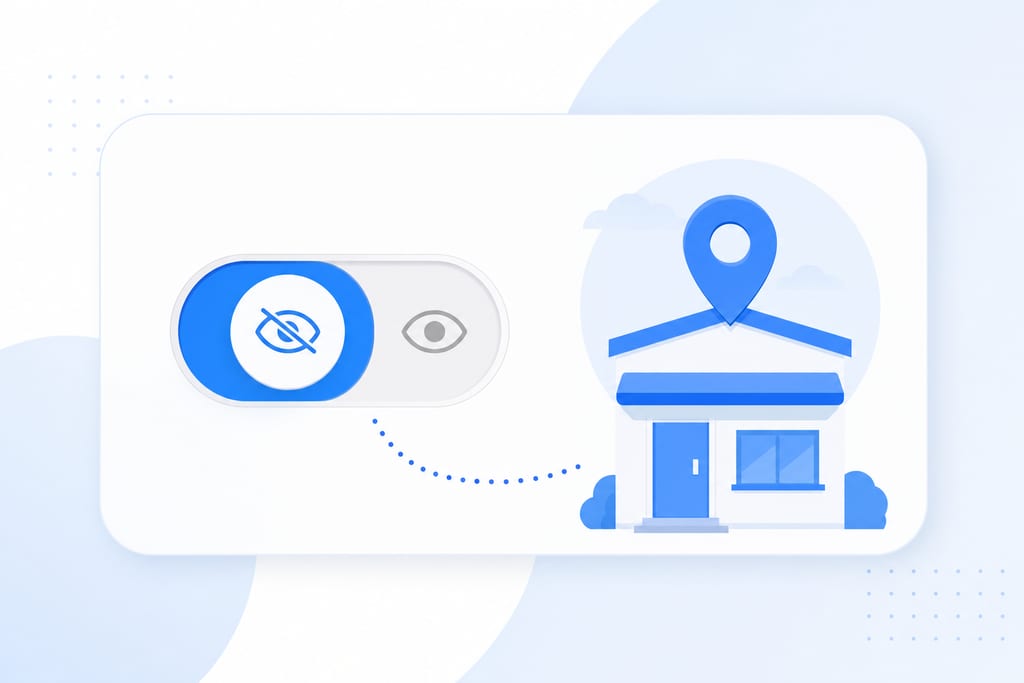
Google still needs a real, verifiable address on file, confirmed through a mailed postcard or a video call where you show the location and your equipment. A P.O. box or a shared virtual office will not pass that check, and trying to use one is a fast way to land a suspension.
Tree care crews and mobile techs should use the address where trucks and equipment actually sit, even though it never shows publicly. A few things to get right before you submit for verification:
- Use your real operating address, not a mailbox service or coworking space
- Make sure someone can receive mail or a video call at that address
- Confirm the toggle is set before you request verification, not after
- Keep the address consistent with what shows on invoices and your website
Getting this step wrong is one of the more common reasons a Google Business Profile gets flagged before it ever ranks.
Picking Service Areas That Actually Convert
Google caps how far your service area can stretch at roughly a two-hour drive from your base location. Within that limit, the mistake most owners make is listing every town they could theoretically reach instead of the ones where jobs actually come from.
Piling on extra cities does not add reach, it dilutes relevance, and Google can end up ranking you weaker in every single one of those areas instead of strong in a few. A business broker covering three counties should list those counties and the cities inside them by name, not the whole state they happen to sit in.
- Pull your last 12 months of job addresses and map where the real demand sits
- List specific cities or zip codes, not broad regional names
- Drop any area that has never produced a lead or a closed deal
- Check drive time from your base address before adding a new zone
- Revisit the list every few months as your job mix shifts
A tighter, honest list beats a long wishful one almost every time.
Matching Categories to How Customers Search
Your primary category should name the exact service, something like "Tree removal service" instead of a vague label like "Contractor." Google uses that primary category as the main signal for which searches trigger your listing, so a mismatch here quietly caps how far you can rank.
Secondary categories let you widen your reach without burying the main service you want to be known for. Attributes such as "free estimates" or "onsite services only" help filter in the right kind of caller before they even dial.
- Set one primary category that matches your core service exactly
- Add two or three secondary categories tied to related work you also do
- Turn on attributes that describe how you actually serve customers
- Avoid broad categories that compete with businesses doing different work
A mismatched category is one of the most common reasons a profile plateaus outside the top 3, something we have seen with solar companies and dental practices alike before the category gets corrected. A closer look at choosing Google Business Profile categories covers how to pick between close options.
Avoiding Duplicate Listings and Suspension Triggers
Creating a brand new listing every time you move or add a service area, instead of updating the existing profile, is how duplicate listings happen. Google treats duplicates as a policy violation, and it can suppress both profiles until one gets merged or removed.
Using a virtual office or shared coworking address as your base is one of the top triggers for a Google suspension among service area businesses. Franchise and multi-location brands have an added risk: inconsistent business names, phone numbers, or categories across locations confuse Google's matching system and can trigger reviews across the whole group.
- Update your existing profile instead of starting a new one after a move
- Never list a coworking space or mailbox store as your base address
- Keep business name, phone number, and category identical across every location
- Audit all profiles together if you manage more than a handful
Map Winners has handled suspension recovery and kept naming consistent across client accounts running as many as 540 profiles at once, which is the scale where small naming mismatches turn into real visibility losses across multi-location brands.
Broad Coverage or Tight Focus, Pick One
Google leans hard on proximity when it decides who shows up in the map pack. A business with no clear address signal and no tight service area struggles to rank there even with a wall of five-star reviews, because proximity is doing more work than reputation in that decision.
This is where the real choice sits. You can list every town you could theoretically drive to, or you can list only the places your jobs actually come from, and those two paths lead to different outcomes inside the same two-hour radius Google allows.
| Approach | Who it fits | Typical outcome |
|---|
| Wide coverage, every nearby town listed | New businesses chasing any lead | Ranks nowhere, visibility spread too thin |
| Tight list of proven zip codes | Businesses with 12+ months of job history | Ranks in the top 3 for the areas that matter |
| Hybrid, storefront plus coverage list | Multi-location brands with a public office | Address pin anchors trust, coverage list extends reach |
A solar installer we worked with made this exact trade. Tightening its local SEO service area list alongside other fixes took it from $350,000 to $1.7 million in annual sales, because the profile stopped competing weakly everywhere and started competing strongly in the zones that paid.
The trade-off is real. A narrow list means turning down a few calls from towns outside your zone, but it buys you a shot at ranking somewhere instead of nowhere, and most owners make that swap within weeks of seeing the before and after.
Check Your Address Toggle Before You Lose Another Job
Open your profile settings today and look at two things: the address visibility toggle and the actual list of cities or zip codes under service areas. Don't wait for a drop in calls to tell you something is wrong, by then you've already lost jobs you'll never see in a report. If the list hasn't been touched since you first set it up, it's probably still guessing instead of reflecting where your work actually comes from. Map Winners will review a profile at no cost and point out what's costing you rank, and backs the fix with a 200% ROI guarantee, staying on the account until the rankings hit target. Reach the team at 333 Hedgelawn Ave, Roanoke, VA 24019, or call 540-467-4751.
Service Area Setup Questions Owners Still Have
Can I add a service area business profile without ever having a physical office?
Yes. Google only asks for a real address where mail or a video verification can reach you, not a storefront. A home, a garage, or a rented warehouse all work as long as someone can receive the postcard or take the video call. Just never use a mailbox store or coworking suite as that address, since those get flagged and can lead to suspension.
Will my service area listing lose ranking if I move my base address to a different city?
It can, because Google recalculates your proximity signal from the new base and the two-hour drive radius shifts with it. Some zip codes that used to fall inside your zone may fall outside it, and new ones open up. Update the existing profile with the new address rather than starting over, and re-verify right away so the gap in accuracy stays short.
No, as long as the hidden address is still verified and your business name, phone number, and category stay consistent everywhere you're listed online. AI tools lean on that consistency, plus reviews and schema markup on your site, to decide who to recommend. Map Winners builds that entity consistency into its GEO work so AI assistants can quote your business with confidence, address hidden or not.
What happens if two of my service area zips overlap with a competitor's base location?
Nothing automatic happens to your listing, but you're now competing against a business with a proximity edge in that zip code. Google tends to favor the business physically closer to the searcher, so you'll likely rank below them there even with a strong profile. Focus your marketing and reviews on the zips where you don't have that disadvantage.